

LOBBY
Casino and slot rooms
Browse casino and slots by category, then use mobile search when you already know the title.
candy99 puts Live Baccarat Turbo, Bogor Lucky Slots and Football Betting Live behind one account, with DANA and QRIS beside the cashier path.
Access is available only where local law permits.
Our casino and slots catalogue is injected from the current lobby, so the cards you see reflect available categories.
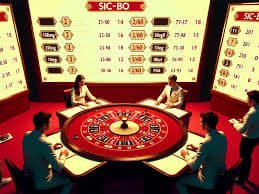
Casino rooms sit first, followed by live tables, slot search, fishing games and sportsbook markets that you can reach from one account.
Pragmatic Play, PG Soft and Habanero are recognisable names in our catalogue, supported by additional studios across slot, table and fishing categories.
DANA and QRIS give you a direct local-wallet path without guessing which cashier tab to open.
Some pages matter after the first lobby visit because they answer recurring account questions. We keep game categories, cashier records, access controls, policy links and help routes easy to return to.


A phone number is the first practical detail to prepare because we verify it before account access.
Enter the requested account details, set a private password and complete phone verification. We then present the available lobby and cashier routes from the same account panel, where local law permits.
Use your own phone number and keep the account name consistent with your DANA, OVO, GoPay or bank details. Matching records help us check withdrawal requests without avoidable follow-up.
Your home lobby separates casino and slots, Live Baccarat Turbo, fishing rooms and sportsbook markets for football, badminton and basketball. Availability may vary because access depends on local law.
Choose a password you do not reuse elsewhere, complete phone verification and close shared-browser sessions after use. Our account area also shows activity and wallet status for a quick personal check.
When login access or wallet status stalls, start from the help link beside the account and cashier paths. Live chat suits an active session, email gives you room to attach transaction details, and the mobile help route keeps the relevant page close while you describe the issue. Support availability is displayed in the help panel; include your account name, time and receipt reference, but never send your password.
Open chat from the help area when an account screen or wallet state needs attention. Keep the page open and share the displayed receipt reference, not your password or private verification code.
Use email when you need to describe several steps or attach a payment receipt. Include the transfer time, chosen rail and account name so our team can trace the status accurately.
The mobile help path stays close to login and cashier screens, making it easier to report what you see. Capture the relevant status and note whether you used DANA, QRIS or another listed route.
The mobile site keeps login, phone verification, lobby search and cashier status in one browser path, with no separate app claim.
Phone verification comes before account access, giving your profile a clear ownership checkpoint.
We confirm the phone step before opening account access. Keep your number current because it connects your profile to account checks and helps separate your credentials from an unknown device.
Use a unique password and do not pass verification codes to another person. On a shared phone or computer, avoid saved credentials and close the account session when you finish.
Your account area provides the practical place to inspect access activity, wallet status and transaction records. If something looks unfamiliar, contact live chat or email with the relevant time and reference.
Rules, stake choices and category details are shown with the relevant game area when supplied. Live tables, slots, crash rooms and fishing games use different mechanics, so check each panel separately.
Scattered discovery means switching between unrelated pages to check games, wallet steps and support contacts. Our home keeps those practical tasks connected to one account path.
| Account access | Our path begins with phone verification and one account for casino areas and local wallets. Scattered sources may describe entry steps without showing the actual account checkpoint you will use. |
|---|---|
| Lobby categories | Casino and slots appear first, with live tables, fishing and sportsbook paths clearly separated. Offline recommendations can mix titles and categories without showing whether a room is currently available. |
| Local wallet status | DANA, OVO, GoPay and QRIS appear in the cashier context with transaction records. A disconnected mention of a wallet does not show your current transfer state or receipt reference. |
| Bank routes | Bank transfer and virtual account steps sit in the same cashier area, with BCA, BRI, Mandiri and BNI context where relevant. That is clearer than piecing together unrelated instructions. |
| Help access | Chat, email and mobile help connect to account and cashier pages. Scattered advice cannot inspect your displayed status, while our support path can work from the reference you provide. |
| Policy wording | Regional and account policies remain linked from the site structure. External discovery can omit eligibility details; on our pages, access depends on local law whenever regional availability is discussed. |
Game information varies by category, so we show the details supplied for each room rather than applying one figure across the lobby.
Open the game panel to see available return data, feature rules and stake range for that title.
Check table rules, displayed limits and dealer status before entering baccarat, roulette, Dragon Tiger or blackjack.
Rules and available stake choices appear with the selected table title when supplied by the studio.
Round mechanics and cash-out controls are presented inside entries such as Crash Skyrise Arena.
Fishing War Mobile Play displays its room controls and stake context within the game screen.
Our home is built for Indonesia, with wallet routes and sports context selected for the market. From Makassar, you can use the same browser path to verify your phone, enter the lobby and check DANA or QRIS status. We do not describe every location as automatically eligible: access depends on local law. The account screen presents the available categories and cashier options for your current context, while policy links explain regional access in more detail.
The home is defined by what you can actually see and use: named lobby rooms, local cashier rails, account verification, mobile search, support routes and policy access.
These questions cover what people commonly need from the candy99 Home page before opening an account: lobby contents, account steps, local wallet routes, mobile behaviour, withdrawals, support and regional access. Answers point to a specific screen or action so you can verify the detail yourself. If your account displays a different status, use the help path with the relevant time and reference.
Begin with the lobby if you want to inspect categories, or open account details first to understand phone verification.
Read the phone verification and profile requirements, then prepare a matching name and mobile number. This reduces avoidable differences between your account and the wallet or bank route you choose.
Move through casino and slots, live tables, fishing or sportsbook categories. Use named rooms and mobile search to narrow the catalogue rather than opening unrelated pages one by one.
Compare DANA, OVO, GoPay, QRIS, bank transfer and virtual account routes. Confirm the displayed account details and keep the transaction reference after sending funds for later status checks.
Use chat, email or mobile help for account and receipt questions. Open footer policies when you need privacy, account-handling or regional access wording before continuing through the site.